Bring your contacts
Start with contacts from a CSV or Excel file, Google Sheets, your CRM or your Outlook inbox.
Clean & enrich existing contactsContact research, enrichment & quality
Find new contacts or improve the data you already have. AI agents research the web. ListPlus checks and enriches your contacts — for your CRM, outreach or next workflow.
No credit card · No subscription · Credits never expire
| Contact | Job title | Status |
|---|---|---|
| Ava SteinNordwerk | Head of RevOps | ReadyMeets these requirements |
| Noah WolfFernblick | GTM Engineer | ReadyMeets these requirements |
| Mia WinterHelioWorks | Enrichable | EnrichableJob title missing |
| Leon BergCompany not available | Sales Operations | EnrichableCompany missing |
| Ella BrandtKontur | RevOps Lead | ReadyMeets these requirements |
| Unidentified recordCompany not available | — | UnusableNo person or company identifier |
Start with contacts from a CSV or Excel file, Google Sheets, your CRM or your Outlook inbox.
Clean & enrich existing contactsDescribe the audience you want to find.
Filter a database of 300 million profiles.
Start with a person you know.
Every starting point leads to a list you can check, enrich and use.
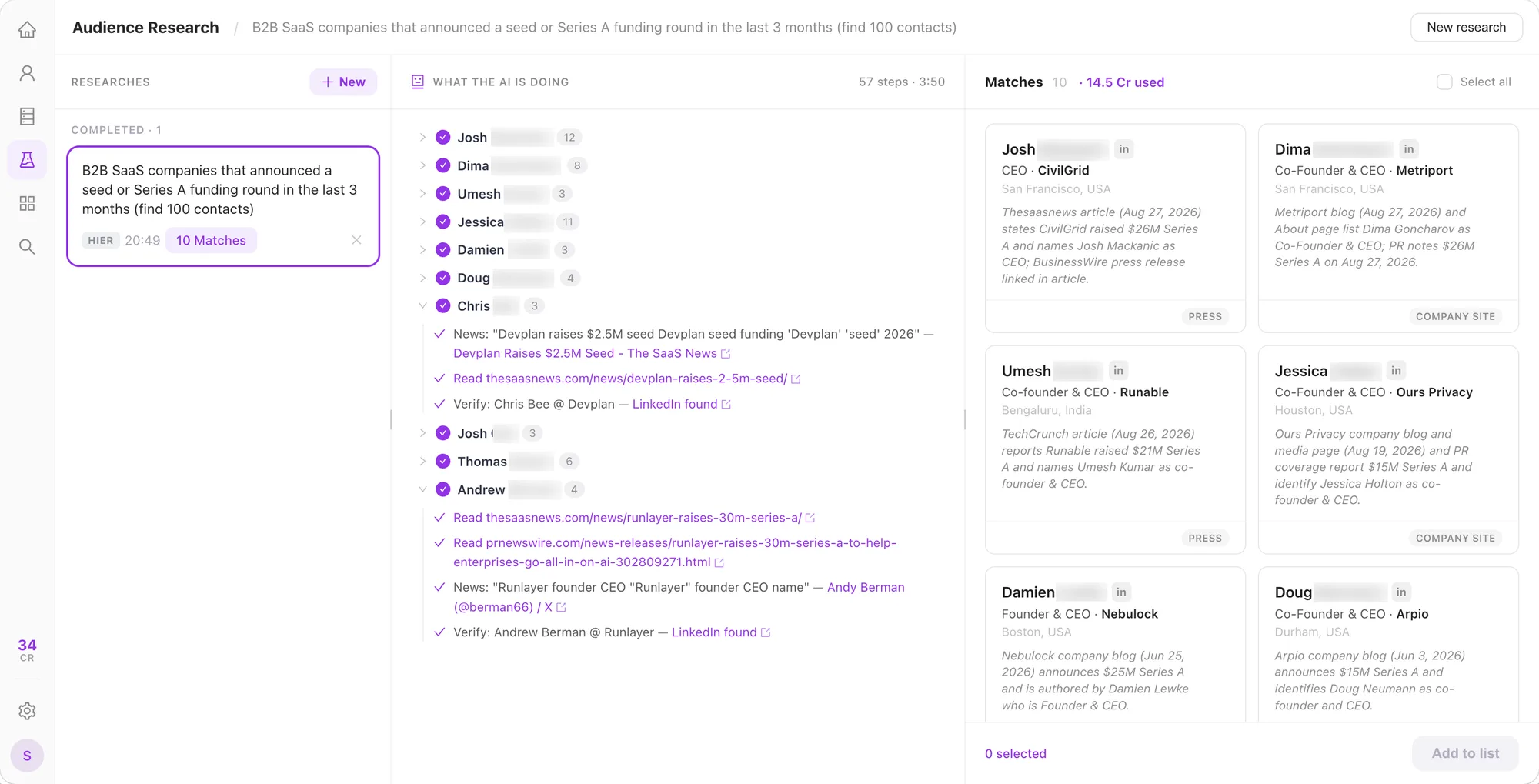
ListPlus agents research the open web. Review the matches and see the sources, steps and evidence behind each lead.
Find B2B SaaS companies that raised a seed or Series A round in the last three months.
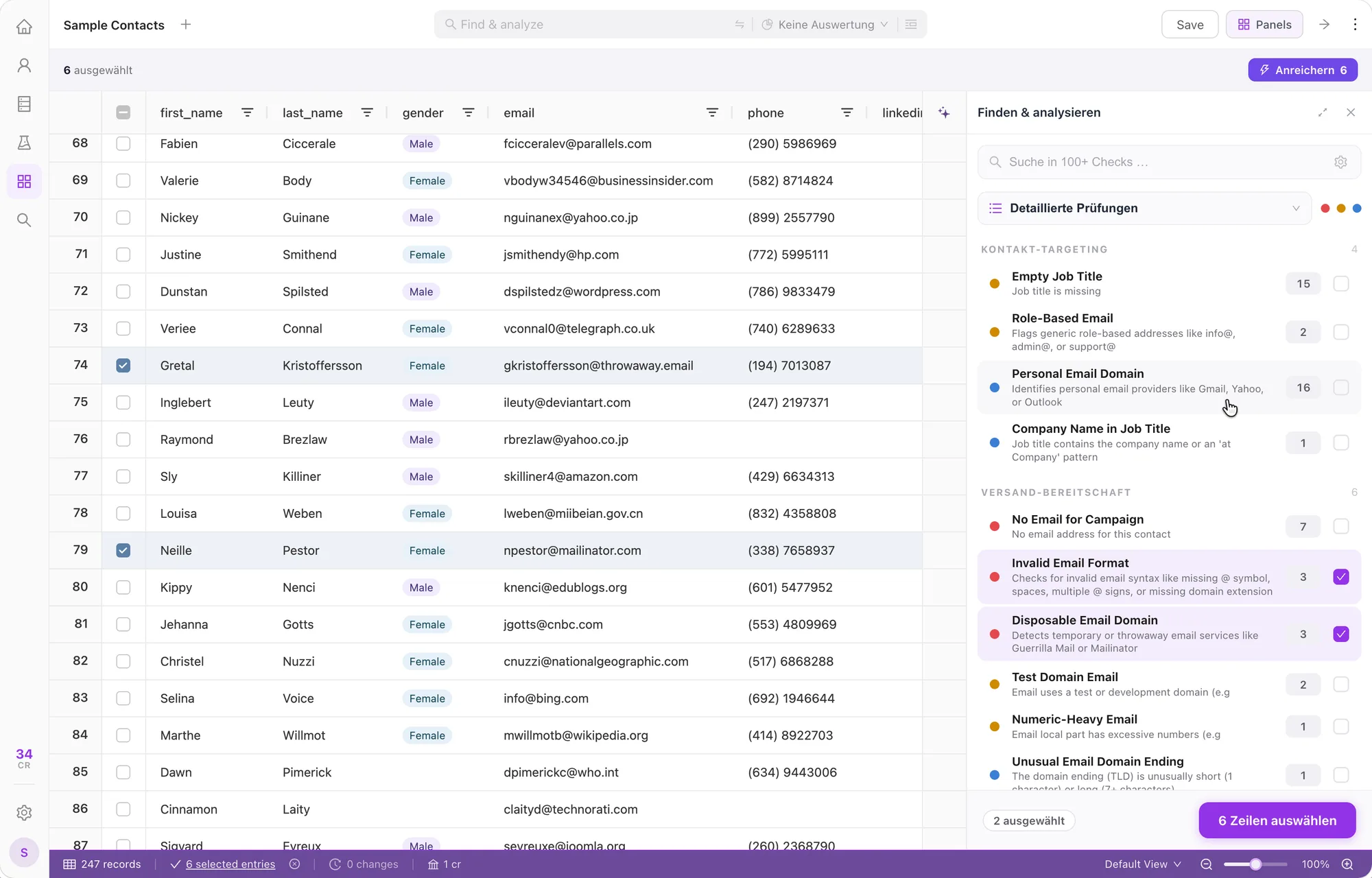
Research results, CRM records and imported contacts use the same checks and enrichment. Work on the fields that matter for your list.
Find missing details, email issues and inconsistent values with 100+ automated checks.
Fill missing contact and company details from multiple sources. Verify email addresses before outreach.
Check the results against your requirements. Choose the contacts to use in your next step.
HubSpot, Salesforce, Google Sheets

Improve your contacts in ListPlus
Your AI plans the work. ListPlus gives it research, enrichment, quality checks and a list to deliver into. You control the data it can access and the updates it can make.
Research the companies in this list. Find their Heads of Growth, enrich the contact details and check what’s ready for outreach.
Through your ListPlus connection
Contacts, context and quality results
ListPlus uses external sources for contact search and enrichment. It does not maintain its own contact database.
Verification is a result for a specific field, such as an email address. Ready means a contact meets your selected requirements. A contact can be ready for your CRM and still need work before email outreach.
A workspace plan covers product access and record limits: the free plan imports up to 25,000 records and edits 5,000, Pro 100,000, Premium 1,000,000. Credits cover usage; e-mail and phone lookups are charged only when found. The Agent API is included in every plan — even the free one.
Yes. Choose the visible fields, permitted checks and enrichments, and fields the agent may update. The permissions belong to the connection.
Start with sample contacts. Explore the checks. Find your next step.
No subscription · Pay as you go · Credits never expire